
Thermal Barcode Printer | Complete Guide to Choosing the Right Barcode Label Printer
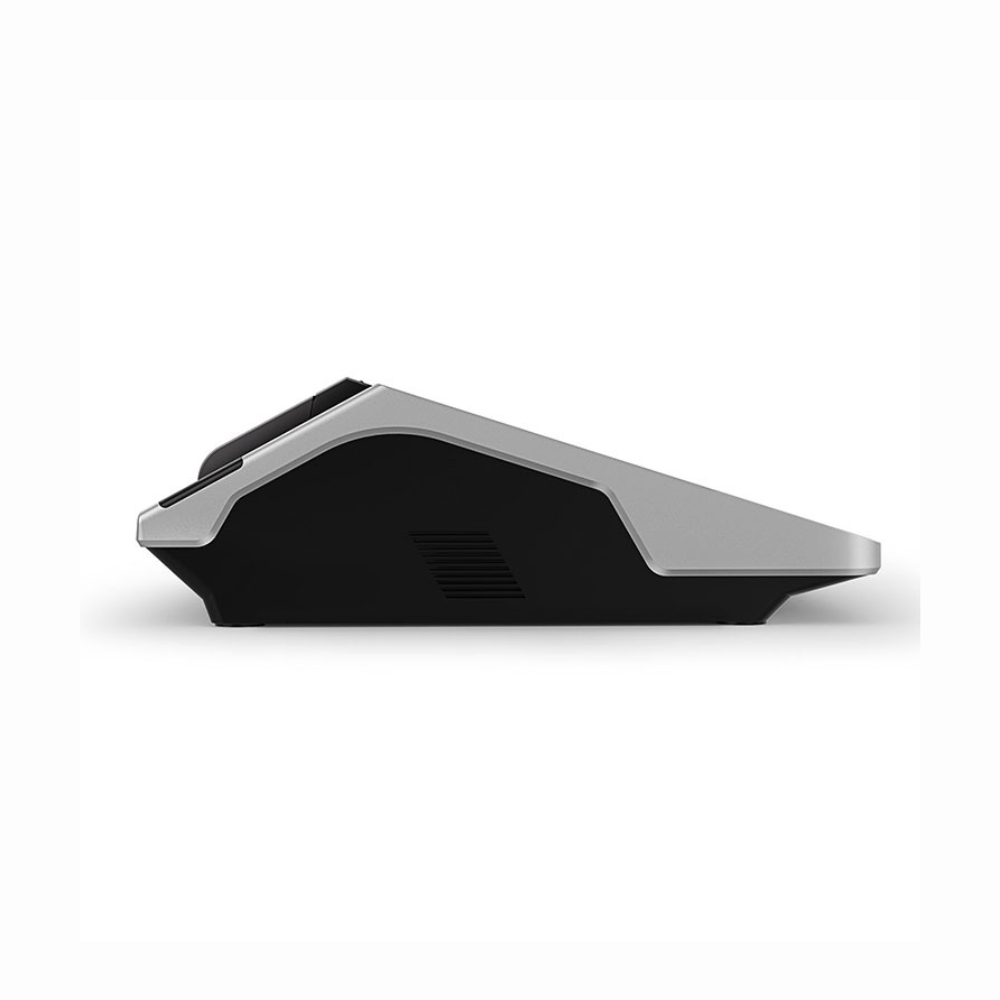
Barcode labels are now an important part of everyday business operations. From retail stores and supermarkets to warehouses and small manufacturing businesses, companies use barcode labels to identify products, manage stock, and make billing faster. A reliable thermal barcode printer makes it easy to print clear and professional-looking labels whenever they are needed.
If your business prints product stickers, price labels, inventory tags, or shipping labels regularly, choosing the right barcode label printer can make a noticeable difference in your daily workflow.
What Is a Thermal Barcode Printer?
A thermal barcode printer is a printer designed to print barcodes, product labels, stickers, and other business information using heat. Unlike conventional printers, many thermal printers do not require regular ink cartridges.
The printer creates text, numbers, barcodes, and graphics on specially designed labels. This makes thermal printing a convenient option for businesses that need to produce a large number of labels quickly.
Depending on the application, businesses can choose between direct thermal and thermal transfer printing technologies.
Why Use a Barcode Label Printer?
Manually writing or printing product information using a standard printer can take unnecessary time. A barcode label printer is designed specifically for label printing, making the process quicker and more convenient.
Businesses commonly use barcode printers for:
- Product barcode stickers
- Price labels
- Inventory labels
- Shipping labels
- Packaging stickers
- Retail product identification
- Warehouse stock management
With a properly printed barcode, employees can scan products quickly instead of entering product information manually.
Benefits of Using a Thermal Barcode Printer
Fast and Efficient Printing
A thermal barcode printer is built for printing labels efficiently. This is especially useful for retail stores, warehouses, and businesses that need to print a large number of labels during the day.
Clear Barcode Printing
Barcode scanners need clear and properly printed codes. Thermal printing can produce sharp barcodes and text, helping businesses maintain readable product labels.
No Traditional Ink Cartridges
Many thermal printers work without conventional ink cartridges. This can make everyday printing simpler and reduce the maintenance associated with replacing ink cartridges.
Compact and Convenient
Most barcode label printers are designed to be compact, making them suitable for billing counters, offices, warehouses, and small workspaces.
Better Inventory Management
Barcode labels can make it easier to identify and organize products. When connected with suitable POS or inventory software, businesses can scan products and access their stored information quickly.
Direct Thermal vs Thermal Transfer Printer
Before buying a thermal barcode printer, it is useful to understand the difference between the two common printing methods.
Direct thermal printing uses heat-sensitive labels. The printhead heats specific areas of the label to create the required text or barcode. It is commonly used for applications where labels are not required for very long periods.
Thermal transfer printing uses a ribbon to transfer the image onto the label. This method is suitable when businesses need labels that are more resistant to environmental conditions and are intended for longer-term use.
The right choice depends on the type of products you label and how long the labels need to remain readable.
How to Choose the Right Barcode Label Printer
Not every business has the same printing requirements. Before purchasing a barcode label printer, consider a few important factors.
1. Printing Speed
If your business prints hundreds or thousands of labels, printing speed becomes important. Choose a printer that can handle your daily workload without slowing down operations.
2. Print Resolution
Small barcodes and product information need to be clear. A printer with suitable resolution can produce sharp and easily readable labels.
3. Label Size
Check the maximum and minimum label sizes supported by the printer. Choose a model that works with the label dimensions you normally use.
4. Connectivity
Consider how you want to connect the printer to your existing system. Depending on the model, connectivity options may include USB, Bluetooth, Wi-Fi, or other interfaces.
5. Software Compatibility
Your barcode printer should work with your billing, POS, or inventory software. Good compatibility helps you create and print labels without complicated manual processes.
6. Daily Printing Volume
Think about how many labels you print every day. A small shop may need a compact printer, while a warehouse or large retail operation may require a model designed for higher-volume printing.
Where Can a Thermal Barcode Printer Be Used?
A thermal barcode printer can be useful in many different industries.
Retail Stores
Retailers can print product labels, price stickers, and barcodes for products. Scanning these labels at checkout can make billing faster.
Supermarkets
Supermarkets handle a large number of products and require organized labeling. Barcode printing can help with product identification and inventory management.
Warehouses
Warehouses can use barcode labels for products, packages, shelves, and storage locations. This can make stock identification easier.
E-commerce Businesses
Online sellers can use barcode and shipping labels to organize products and packages before dispatch.
Manufacturing Businesses
Manufacturers can use barcode labels to identify products, batches, packages, and inventory during different stages of operations.
Why Choose Udyama POS?
Choosing the right printing equipment is important when your business depends on accurate and efficient labeling. Udyama POS provides POS and thermal printing solutions for different business requirements.
Its range of label printing products is designed for businesses that need convenient barcode and label printing. Depending on the model, users can find features such as compact designs, different connectivity options, and compatibility with commonly used operating systems.
Businesses can explore Udyama POS products according to their printing requirements, label size, workload, and existing billing or inventory setup.
